

Understanding Binary Number Subtraction
Explore how binary subtraction works with clear examples, borrowing techniques, and its key role in computing and digital electronics 🖥️⚙️.
Edited By
Isabella King
When your Android phone flashes the message "Custom Binary Blocked by FRP Lock", it often causes panic. This happens mainly after an attempt to install custom firmware—like using a custom recovery or rooting tools—but the phone refuses to start the new software. At its core, this error ties back to Factory Reset Protection (FRP), a security feature introduced by Google to prevent unauthorised access following a factory reset.
FRP is designed to protect the device if it gets stolen or lost. Once triggered, it blocks any unauthorised software flashes that don't match the original firmware signature stored by the manufacturer. For example, if someone tries to install a modified system image or use a custom recovery that isn’t officially certified, the FRP lock steps in and stops it.
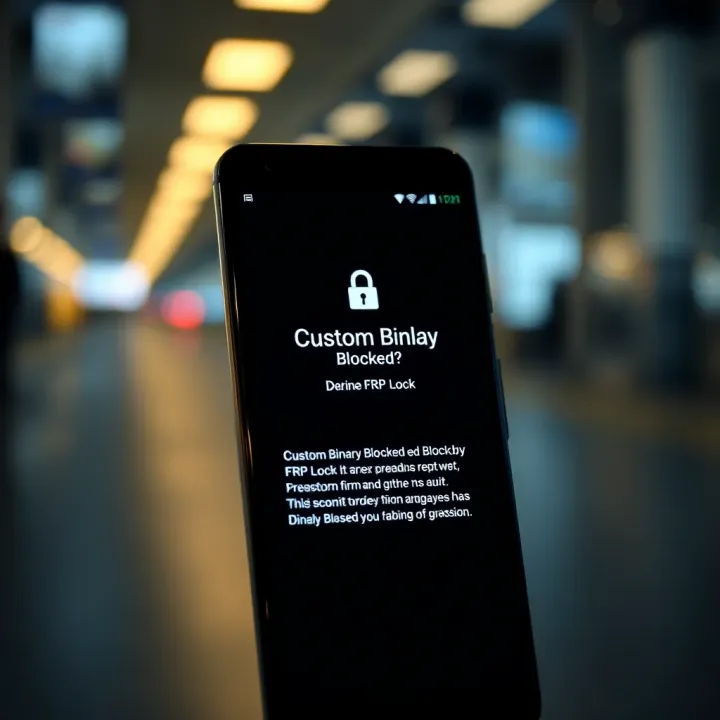
On Android devices, especially popular brands in Nigeria like Samsung and Tecno, FRP lock is there to protect your personal data, but it can also become an obstacle if you tinker with the system without the right procedure.
Understanding the cause of this error is vital. Most times, it occurs because the phone detects an unapproved firmware change after a factory reset or sudden power off during flashing. Suppose you flashed a custom ROM without fully disabling FRP or ignored the OEM unlocking setting in Developer Options, this error is likely to show up. Also, some phones have stricter FRP enforcement, especially models tailored for African markets due to security policies.
For Nigerian users trying out DIY repairs or using tokunbo tools to flash phones, lacking the original Google account credentials after reset can worsen the issue. Often, users forget their login details, leading to permanent blocks triggered by FRP.
Practically, the key takeaway is that while FRP protects you, navigating around it requires careful steps and often legitimate credentials. Trying to bypass without knowledge can brick the device or make it unusable. We'll explore how you can spot the problem early and some practical fixes in the next sections.
The message 'Custom Binary Blocked by FRP Lock' appears on Android devices as a security measure to prevent unauthorised software from running. In practical terms, it means the device detected an attempt to flash custom firmware or an unofficial binary, but blocked it because Factory Reset Protection (FRP) is active. This prevents unauthorised access that could compromise your data or the device's integrity.
Understanding this message helps you avoid bricking your phone when experimenting with custom ROMs or rooting. For instance, if someone in Lagos tries to flash a custom ROM downloaded from a dubious source without disabling FRP, the device will reject the flash and present this error, blocking further boot.
Factory Reset Protection was introduced by Google to protect Android devices against theft and unauthorised factory resets. If your phone is lost or stolen, FRP ensures that even after a reset, only the original Google account holder can access the device. This adds a strong layer of protection beyond just screen locks or passwords.
For Nigerian users often worried about device theft, FRP provides peace of mind. It means that if your phone is taken without your consent, the thief cannot simply wipe and reuse or sell it easily because the Google account verification remains mandatory.
When FRP is active after a factory reset, the phone requests the Google account credentials that were previously associated with the device. This verification bars unauthorised users from bypassing the lock and accessing your contacts, messages, photos, or banking apps like GTBank or Kuda.
Consider a trader in Kano who reset their phone but forgot their Google password. FRP will block access until the correct account details are entered, thus safeguarding sensitive financial apps and client data.
A custom binary refers to a software image or firmware different from the official one provided by the phone manufacturer. It's often created by third-party developers to add features, remove bloatware, or improve performance. These are installed during a process called flashing.
Many tech-savvy users in Nigeria flash custom kernels or ROMs to extend battery life, remove pre-installed apps, or get the latest Android version before the official release. For example, some use custom firmware on Samsung or Tecno devices to bypass frequent ads or improve gaming performance.
However, flashing without proper steps can trigger security blocks due to FRP, leading to the 'Custom Binary Blocked by FRP Lock' error.
Each time the phone boots, it runs a security verification that checks whether the installed firmware is authorised and matches the expected signature from the manufacturer. If the system detects an unauthorised or tampered binary, FRP intervenes, preventing the device from booting normally.
This mechanism ensures only verified software runs on the device, protecting against malware and unauthorised modifications.
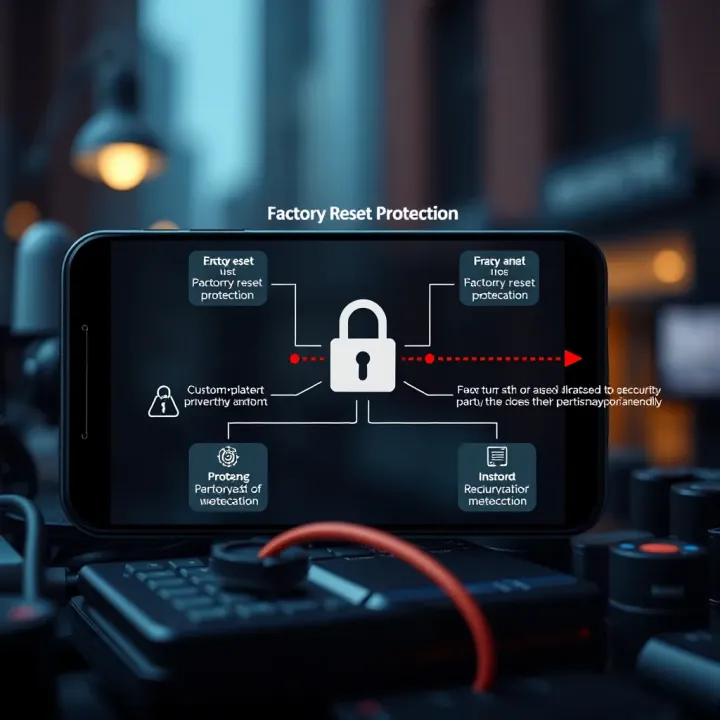
Unauthorized firmware bypasses official security policies and might expose the device to threats. Since FRP aims to secure user data, it blocks such custom binaries by showing the error message. This is particularly relevant in Nigeria, where downloading firmware from unofficial sources like social media or unknown websites is common and risky.
The key takeaway is that FRP considers any unsigned or unofficial binary a threat, so flashing custom firmware without disabling FRP properly will lead to this lock and error message.
Understanding these points helps you grasp why the error appears and prepares you to take proper steps when flashing or modifying your Android device.
Experiencing the 'Custom Binary Blocked by FRP Lock' error often traces back to specific actions or oversights common among Android users in Nigeria. Understanding these causes helps traders, investors, and tech professionals make informed decisions when handling devices, especially given the surge in DIY repairs and second-hand phone trading. This section highlights key culprits behind the error to help avoid unexpected device lockouts.
Risks of ignoring FRP lock before flashing
Factory Reset Protection (FRP) safeguards a device by blocking unauthorised software changes. Yet, many in Nigeria flash custom ROMs without turning off FRP first. This oversight makes the device reject the new firmware, triggering the 'Custom Binary Blocked' message. For example, a typical Lagos-based phone repair shop may flash a device to speed up performance, but if FRP remains active, the device won't complete booting, leaving the user stranded. Ignoring this step risks bricking the phone, wasting time and possibly money.
Overview of common flashing methods in Nigeria
Flashing smartphones is widespread, thanks to the easy availability of tools like SP Flash Tool for MediaTek devices or Odin for Samsung phones. Many Nigerians download firmware from local forums or WhatsApp groups and flash their phones to bypass region restrictions or remove bloatware. Such practices become risky when users lack full knowledge of their device’s security settings. Because FRP is a factory-set barrier, skipping the disablement step is a common mistake, especially for those who perform flashing for the first time or rely on non-professionals.
Dangers of downloading from untrusted sources
Downloading firmware from unofficial sources can be a shortcut for some, but it carries serious risks. In Nigeria, popular sites or channels often circulate firmware files that look genuine but are tampered with or incomplete. Installing such files risks triggering FRP lockdowns as devices detect unauthorised changes or suspicious binaries. Users may also expose their phones to malware hidden in these downloads, which compromise personal data or banking apps—a critical concern for tech-savvy investors.
Impact of corrupt binaries on device security
Firmware corruption not only causes boot failures but can break core security protocols on the phone. When corrupted custom binaries install, the device’s integrity checks flag the firmware as unsafe, locking the user out and activating the FRP block. This becomes particularly troublesome for traders using multiple Android devices for mobile payments or inventory apps. Without a secure firmware, the device's stability is compromised, which might result in data loss or unpredictable crashes.
How incomplete resets trigger FRP
Factory resetting a phone without completing the Google account verification process is a common source of FRP errors. Incomplete resets, often done in haste or by non-experts, leave the FRP active. Upon reboot, the phone demands original account credentials before allowing access. In Nigeria, many users sell or buy used phones without ensuring the previous owner has removed their Google account properly. This omission locks the new user out, making the device unusable until the correct login is provided.
Importance of account credentials during reset
During a reset, the device connects to Google servers to verify the rightful owner. Providing accurate Google account credentials is essential to pass this check. Selling a device without this step is comparable to selling a locked danfo that nobody can drive. Users must always ensure the seller disables FRP by removing their account or hand over the credentials safely. This practice avoids unnecessary frustration and the need for risky bypass methods that might void warranty or compromise device security.
Proper understanding and caution with FRP are vital to avoid costly errors. For Nigerian users dealing with Android phones, knowledge of these causes helps strengthen device reliability and user trust.
When your Android device shows the 'Custom Binary Blocked by FRP Lock' error, it often means you are caught in the Factory Reset Protection (FRP) trap. Bypassing or removing the FRP lock becomes essential to regain full access. This section covers practical ways to tackle this lock, from verifying your Google account credentials to using official or third-party tools, helping you decide the safest and most effective method.
Retrieving forgotten passwords is usually the first and most straightforward method to bypass FRP lock. If you can recall the Google account tied to the device, simply resetting the password using Google’s recovery process can grant you access again. For instance, if a trader in Lagos forgets the password after a factory reset, recovering the password via a linked phone number or recovery email should be the go-to step. It avoids any complicated flashing or technical intervention.
Using account recovery options goes beyond resetting passwords. Google offers multiple ways to verify ownership, like answering security questions or submitting recent account activity details. If you regularly back up data via Google services or use two-factor authentication, these options can help restore access even if password reset is challenging. This step is vital because it respects device security protocols and prevents unauthorised attempts to unlock at the expense of your data.
Samsung’s Odin and similar vendor tools provide official channels for unlocking FRP, especially for devices like Samsung phones popular in Nigeria. Odin is a firmware flashing utility that allows reinstalling official stock firmware, which can reset the device properly when done with the correct account credentials. For example, a technician in Abuja might use Odin to re-flash a Samsung A21s with official firmware to bypass FRP without bricking the device. This approach reduces the risk compared to unofficial tools, keeping device warranties intact.
Limitations of official unlocking paths include the strict need for valid Google account credentials before these tools work as expected. If you don’t have the original login details, Odin or similar tools won’t bypass FRP on their own; they just restore the device to factory settings. Plus, these official processes are usually device-specific and can be challenging without technical knowledge. They also may not cover devices from brands without official unlocking software, making this method unavailable to everyone.
Popular bypass software options in Nigeria, such as FRP Bypass APK, GSM Flasher Box, or Miracle Box, are widely used especially by local phone repair centres. These tools offer quick unlock solutions without needing original Google credentials. However, users should be cautious: while these methods appear convenient, their effectiveness depends on the device model and software version. A common scenario is an okada rider bringing a phone with an FRP lock to a repair shop where these tools are applied for a fee instead of more lengthy official fixes.
Potential security and legal concerns arise because third-party methods can expose your device to malware or void warranties. Using unofficial tools might also violate terms of service agreements and local laws. The risk of installing corrupt firmware or locking the device permanently is real. Therefore, users must weigh convenience against possible consequences, especially in Nigeria where online scams and counterfeit software are rampant.
Always prioritise verifying your genuine Google credentials before resorting to technical fixes. Not only does this protect your device data, but it also aligns with security practices recommended globally and in Nigeria.
By carefully choosing the right method among these options, you reduce the chance of losing data or damaging your device irreversibly.
Avoiding the 'Custom Binary Blocked by FRP Lock' error is much easier when you take precautions before flashing your Android device. This means understanding the importance of proper data backup and disabling FRP lock before attempting any firmware modifications. Doing these steps can save you both time and money, especially in Nigeria where repair services can be costly. Taking preventive measures also helps preserve your data and keeps your device secure from unintended lockouts.
Backing up your device data is the first smart move before flashing any custom firmware or installing new software. Cloud services like Google Drive offer an easy way to sync contacts, photos, and app data automatically. For Nigerians who rely heavily on mobile data, combining cloud storage with local backups on an SD card or computer offers protection against poor network connectivity or accidental data loss.
Popular backup methods include using the built-in Android backup tools found in settings, which can save app data and settings efficiently. Cloud solutions are particularly useful if your phone suddenly encounters the FRP lock error; this ensures you don’t lose valuable photos, contacts, or documents collected over time.
Among the recommended backup apps for Nigerian users are Google One, which provides affordable ₦1,500 monthly plans for extra storage, and third-party apps like Titanium Backup for rooted devices. Apps such as Helium offer a user-friendly experience for non-rooted phones, allowing you to save app data locally or on cloud storage. Backups through these apps reduce the risk of permanent data loss if your device firmware fails during flashing.
Disabling FRP lock ahead of flashing is crucial to avoid the familiar error messages. To turn off FRP, you usually need to remove all Google accounts from your device first. This can be done through Settings > Accounts > Google, then selecting the account and removing it. Restart your phone afterward to ensure the FRP lock is disabled properly.
Take care to perform these steps on a fully charged device and ideally with internet access, as account removal sometimes requires authentication or network checks. Failing to completely disable FRP often results in your phone locking down when flashing starts.
While modifying your device, avoid interrupting the flashing process or using uncertified firmware sources. Frequent power interruptions caused by unstable power supply or faulty USB cables are common issues in Nigeria that lead to incomplete flashes and further lockouts. Also, always double-check the compatibility of the custom firmware with your phone model. Precaution here helps not just with FRP locks but also prevents bricking the device altogether.
Proper preparation before flashing—including backing up data and disabling FRP lock—saves you from headaches, unnecessary costs, and the stress of data loss. In Nigeria, where device repairs can be tricky and expensive, prevention takes priority.
Taking these deliberate steps puts you in control and safeguards your device for long-term reliable use.
Navigating the 'Custom Binary Blocked by FRP Lock' error can be straightforward with the right knowledge, but some situations demand expert hands. Seeking professional help in Nigeria is important when the issue extends beyond simple account recovery or basic unlocking steps. Local technicians bring experience with common device models and firmware peculiarities seen on Nigerian handsets, plus they understand the challenges posed by typical smartphone use here.
Signs that DIY fixes won’t work usually show up when routine steps like using official tools or applying common bypass software fail repeatedly. If you find yourself stuck in the boot loop, or the phone constantly reverts to the same error despite following verified instructions, it suggests a deeper problem. For example, many traders who try flashing Samsung Odin without disabling FRP first might lock themselves out completely, requiring more than a simple password reset.
Other hints include the device refusing to accept legitimate Google account credentials after reset, or the phone rebooting unexpectedly with unusual error messages. Such signs mean it’s no longer just about software, but possibly a hard-to-reverse software lock or corrupted system files.
Common hardware signs related to flashing errors often appear as physical symptoms like a non-responsive touchscreen upon startup, the phone heating excessively, or erratic battery drainage soon after the FRP error surfaces. In some cases, flashing the wrong or counterfeit firmware damages vital components, sometimes affecting the phone’s chipset or memory.
For instance, in Lagos, where many phone repair shops are used due to exposure to tokunbo devices, technicians frequently diagnose hardware faults coupled with FRP locks. These problems are beyond what typical users can resolve on their own.
Tips to choose certified technicians include verifying that the repair centre holds recognised credentials and uses original parts for replacements. Nigerian consumers should ask for service guarantees and check reviews or word-of-mouth recommendations, especially in tech hubs like Lagos or Abuja.
Avoid roadside repair shops without proper licensing; instead, approach established centres linked to brands or with good track records. For example, some verified GSM centres partner directly with Samsung or Tecno for genuine firmware updates and repairs.
Estimated costs for FRP-related repairs in Nigeria vary broadly depending on the phone make, model, and the severity of the lock. Basic FRP bypass services might start at about ₦5,000 but can rise to ₦20,000 or more when hardware faults require component replacements or advanced software interventions.
Be mindful that prices are often higher in key cities due to demand but investing in professional help often avoids further damage that DIY methods risk, saving money in the long run.
Explore how binary subtraction works with clear examples, borrowing techniques, and its key role in computing and digital electronics 🖥️⚙️.
Explore binary division basics, step-by-step methods, and real-world uses in coding and hardware 🔢💻. Understand challenges and why it matters today.

🔍 Explore how the binary search algorithm operates, its step-by-step process, benefits in speed, and real-world programming uses for efficient data handling.

Learn how to master binary addition with step-by-step examples and clear tips 🧮. Understand its role in computing and how it's different from decimal math 🔢.
Based on 14 reviews