
Choosing the Best Forex Trading Apps in Nigeria
Explore top forex trading apps in Nigeria 📱, learn must-have features, risk controls, and tips to enhance your mobile trading experience for better success.
Edited By
Ethan Reed
Forex trading has become increasingly popular in Nigeria, thanks largely to mobile technology making access easier. These days, you no longer need bulky computers or expensive setups to buy and sell foreign currencies; a smartphone and a reliable forex trading app will do the job.
Before diving into the download and usage process, it's important to understand what a forex trading app offers. These apps provide a platform where you can monitor currency prices, execute trades, analyse market data, and manage your account—all from your mobile device. But not every app fits the Nigerian market or meets the specific demands of local traders.
Choosing the right app requires considering several factors. Look out for platforms that are regulated by recognised authorities like the Securities and Exchange Commission (SEC) Nigeria or international bodies such as the Financial Conduct Authority (FCA). Security features like two-factor authentication and encrypted transactions are vital to keep your funds safe.
Moreover, a good forex trading app should offer real-time price updates and swift execution of trades to help you take advantage of market movements. Many popular platforms serving Nigerian traders include MetaTrader 4 (MT4), MetaTrader 5 (MT5), and proprietary apps from established brokers like FXTM and Exness.
Always download forex apps from official sources such as Google Play Store or Apple App Store. Avoid third-party downloads to reduce risk of malware or fraud.
To get started, ensure your smartphone meets basic requirements: at least 2GB RAM, a stable internet connection (preferably 4G or higher), and sufficient storage space. After installation, you’ll usually need to register an account and complete identity verification, often by submitting your National Identification Number (NIN) or Bank Verification Number (BVN).
With these basics, you’re set to explore forex trading on the go. This article will guide you through the next steps—including where to download, how to navigate key features, and tips to avoid common pitfalls as you build your trading skills in Nigeria’s forex market.
Forex trading apps have transformed how traders in Nigeria access the global currency market. At their core, these apps are software platforms designed to facilitate buying and selling of foreign exchange pairs via mobile devices. They bring the full spectrum of forex market operations straight to your smartphone, cutting out the need to be tied to physical desktop setups.
A forex trading app lets you monitor currency price movements, place trades, and manage your account from anywhere with an internet connection. Unlike traditional desktop software, these apps typically offer a streamlined interface tailored for on-the-go use. For example, apps like MetaTrader 4 and MetaTrader 5, widely used in Nigeria, let you chart real-time data on naira/dollar or euro/dollar pairs and execute orders within seconds.
The everyday Nigerian faces many challenges, including traffic gridlocks and unreliable power supply. A mobile app gives you the freedom to trade anytime—whether waiting in traffic on an okada or during a brief break at work. Instead of missing market opportunities because you’re away from a PC, the app keeps you connected.
Moreover, mobile apps often include useful features like price alerts and news updates, so you’re always in the loop. This immediacy can be the difference between capturing a good trade profit and losing out due to delayed information.
Trading forex using a mobile app suits the Nigerian trader for several reasons beyond convenience. First, many apps integrate local payment methods, allowing you to fund your account directly via popular banks or fintech services like Paystack or Flutterwave, avoiding costly international wire transfers.
Second, most forex apps today provide secure login protocols and two-factor authentication, which is crucial given Nigeria’s rising cybercrime concerns. Third, trading on mobile supports flexibility, making it easier for both full-time traders and those balancing other jobs.
Finally, forex apps lower the entry barrier. With just a smartphone, you can start trading on micro-lots, which suits Nigerians eager to test the waters without risking large capital upfront.
Trading forex through mobile apps has made the market more accessible to Nigerians, offering practical tools and security measures tailored to local realities and technological habits.
In summary, understanding what forex trading apps are and recognising their benefits is vital before you download one. It shapes how effectively you use the app for managing trades, avoiding pitfalls, and ultimately growing your investment steadily in the volatile but lucrative forex market.
Choosing the right forex trading app is not just about picking a popular name; it's about securing your investments and ensuring a smooth trading experience suited to the Nigerian market. Before you download any app, you need to examine certain key factors that impact safety, usability, and earning potential.
Security ranks highest among concerns for Nigerian traders. A reliable forex app should be from a broker authorised by recognised regulatory bodies, like Nigeria’s Securities and Exchange Commission (SEC) or reputable international authorities such as the Financial Conduct Authority (FCA) or Cyprus Securities and Exchange Commission (CySEC). This ensures your funds are protected and trading practices are clear.
Additionally, check for data encryption features within the app — these keep your personal and financial information safe from hackers. For example, platforms like IG and FXTM provide two-factor authentication and SSL encryption to avoid fraud. Using unregulated or suspicious apps often results in loss of funds or data breaches.
A forex app must be designed for intuitive navigation, especially considering many Nigerian users trade via smartphones with variable internet access. An app with a clean layout, clear charts, and simple order placement reduces the learning curve and avoids costly mistakes.
Consider apps like MetaTrader 4, which balances advanced features with straightforward interfaces. Also, look for the availability of local languages or customer support in English, to help you understand and operate the platform effortlessly.
Modern forex apps offer diverse tools, from real-time charts and technical indicators to economic calendars and risk-management options. For example, stop-loss orders help cap losses, a feature essential in Nigeria’s volatile market conditions.
If you plan to trade multiple currency pairs, commodities, or indices, ensure the app supports these markets. Having access to educational resources or demo accounts is useful, especially for beginners.
Since Nigerian traders often face challenges with international transfers and currency conversions, an app supporting local deposit and withdrawal methods is vital. Platforms integrated with local banks or payment services like Paystack, Flutterwave, or OPay simplify funding your account.
For instance, apps that allow funding via bank transfer, USSD codes, or even mobile money provide the ease and speed Nigerian traders expect. Without these, you may struggle with frustrating delays or exorbitant charges.
A responsive customer support team shields you from the fallout of technical glitches or suspicious activities. Look for apps offering multiple support channels, including live chat, email, and phone support within Nigerian business hours.
Besides official support, a vibrant community forum or social media presence helps you share experiences and learn practical tips. Brands like FXPro and XM have active user groups that Nigerian traders often find very helpful.
"Trading on a mobile forex app is more than software — it’s about trust, ease, and support tailored to your needs. Considering these factors can save you from costly errors and frustrations."
Selecting an app with these key qualities ensures you are well-equipped to trade forex smoothly while managing risks effectively in Nigeria’s unique financial environment.
Choosing the right forex trading app can make all the difference for traders in Nigeria. Popular apps backing their reputation with proven performance and trust offer more than just convenience; they provide reliability and compliance with local regulations, security for funds, and features that align with the needs of Nigerian investors. Recognising which apps are widely used and trusted helps avoid scams and enables focused learning and better trading strategies.
Regulated brokers in Nigeria adhere to strict standards set either by international regulatory bodies like the Financial Conduct Authority (FCA) or local authorities such as the Securities and Exchange Commission (SEC) Nigeria. Apps from these brokers guarantee that the trading environment respects fair practice, client fund segregation, and transparency. For example, IG Markets and FXTM are internationally regulated brokers whose apps have gained popularity among Nigerian traders for their trustworthy platforms and educational resources. Using apps from regulated brokers minimises the risk of fund misappropriation and assures prompt withdrawals, a vital concern amidst Nigeria’s occasional forex liquidity challenges.
A forex trading app becomes far more user-friendly when it supports local deposit and withdrawal methods—a critical factor for Nigerian traders. Integration with Nigerian banks and mobile payment platforms such as Paystack, Flutterwave, OPay, and PalmPay means you can fund your account in naira, dodging forex conversion fees and delays. For instance, brokers like Pepperstone and HotForex offer apps supporting Nigerian card payments and bank transfers, simplifying the funding process. This integration cuts down on bottlenecks that often discourage new traders.
Some trading apps tailor features specifically to Nigerian users, addressing common challenges such as intermittent power supply and fluctuating internet quality. Offline trading options or lower data consumption modes are examples of such adjusted features. Furthermore, apps may offer localised customer support in Nigerian time zones, and educational materials contextualised to the Nigerian forex market are particularly helpful. For example, apps like Olymp Trade frequently provide local webinars and guides on navigating the naira-dollar dynamics. These features make the trading experience smoother and more relevant, helping traders stay informed and connected despite infrastructural hurdles.
Selecting a forex app trusted by Nigerian traders can save you from unnecessary losses and frustration. Focus on apps regulated by recognised authorities, offering seamless local payment options and practical tools targeted at Nigeria’s unique market conditions.
By concentrating your choice on these popular and trusted apps, you position yourself better to navigate Nigeria’s forex market with confidence and security.
Getting started with a forex trading app can seem daunting, especially if you’re new to mobile trading. This guide walks you through the essential steps to download, set up, and start trading on a forex app in Nigeria. Each stage is crucial for smooth, secure operations, and helps you avoid common pitfalls like fake apps or failed transactions.
Before downloading any forex app, make sure your smartphone meets the basic technical needs. Most reputable forex apps require Android 7.0 or higher or iOS 12 and above. For example, if you have an older smartphone bought as a tokunbo device without recent updates, it might not support some features or could crash often.
Internet connection quality also matters. Foreign exchange prices fluctuate fast, so a stable 4G or better connection helps prevent lag or failed trades. Many Nigerian traders experience poor connectivity during power outages, which affects trading speed. Using a reliable data provider like MTN or Airtel and having access to battery backup can ease this challenge.
Downloading your forex app from trusted sources reduces risk of malware or scam apps. The Google Play Store and Apple App Store are the safest options. Avoid third-party websites or links received via social media or unsolicited messages — these are common vectors for fake versions aiming to steal your details.
Always check app permissions before installing. A forex app should ask for access only to basic functions like storage or network. Excessive permissions, like access to your contacts or calls, should raise immediate concern.
Once the app is installed, the next step is to register. Most platforms require an email or phone number to start sign-up. In Nigeria, you’ll often need to upload a valid means of identification such as a National Identification Number (NIN), International Passport, or Driver’s Licence.
This verification process is essential for compliance with Nigeria’s anti-money laundering laws and helps protect your funds. Verification can take from a few minutes to a couple of days, depending on the broker. Be patient and ensure your documents are clear and unaltered.
After verification, fund your trading account to begin. Look for apps that accept local deposit methods such as bank transfer, USSD codes (like *737#), or payments via Nigerian fintech platforms like Paystack or Flutterwave.
For instance, if you use GTBank’s app or USSD to transfer funds to your forex account, you avoid unnecessary delays and extra charges from international wire transfers. Always deposit a comfortable amount you can afford to lose; forex trading is unpredictable, and risks are high.
Once funded, the app will usually present a dashboard where you can pick currency pairs to trade, set your order type, and monitor positions. Start small with demo accounts if available, or minimal trades on live accounts to build confidence.
Starting your forex journey on mobile needs attention to device readiness, genuine app sources, proper identity checks, and safe funding methods. Following these steps properly helps avoid common headaches for Nigerian traders.
This guide ensures you trade on solid ground, prepared for Nigeria’s unique tech and financial environment. Your next step? Exploring trading strategies and risk management to turn your forex app use from chance to choice.
Trading forex on your mobile device offers flexibility but comes with risks if you’re not cautious. Paying attention to certain tips helps you protect your funds and make your trading journey steady and rewarding in Nigeria’s fast-paced forex market.
Fraudsters often create fake forex trading apps promising quick profits to lure unsuspecting Nigerians. Always download apps from official sources like Google Play Store or Apple App Store. Check for proper broker regulation by bodies such as the Securities and Exchange Commission (SEC) Nigeria. For example, if an app claims to be from a known broker like FXTM or IG Markets but lacks regulatory details, be suspicious. Reading user reviews helps but can sometimes be manipulated; so, cross-check information on trusted forex communities or websites.
Forex trading is speculative and volatile, especially on mobile where you might trade impulsively amid distractions. Set clear limits on how much capital you are willing to risk per trade, often no more than 1-2% of your total trading fund. Avoid the temptation to chase losses or expect overnight riches. For instance, instead of aiming for double your money in weeks, aim for consistent small gains that add up over months. Use stop-loss orders to limit downside losses automatically.
Mobile forex apps allow you to set alerts for price movements and trading signals. But these can become overwhelming if you’re bombarded with notifications. Tailor your alerts to only critical price levels or economic events relevant to your trading strategy. For example, if you trade the USD/NGN pair, focus on notifications around Central Bank of Nigeria’s monetary policy announcements or data releases that affect naira value. This keeps you informed without causing fatigue or rash decisions.
Security matters greatly when trading on mobile devices. Always use strong, unique passwords and enable two-factor authentication (2FA) on your trading accounts. Avoid public Wi-Fi when making trades or deposits, as these are prone to interception by cybercriminals. Regularly update your device and the trading app to patch vulnerabilities. Remember, a compromised email or trading account can lead to lost funds. Services like GTBank or Access Bank incorporate secure transaction OTPs — use them diligently.
Trading forex from your phone puts opportunity in your pocket but requires smart precautions. Following these tips protects you from scams, controls losses, keeps you focused, and safeguards your personal details.
Apply these practices to make your mobile forex trading steadily successful and secure in Nigeria’s dynamic market.
Explore top forex trading apps in Nigeria 📱, learn must-have features, risk controls, and tips to enhance your mobile trading experience for better success.
Explore top forex trading apps for beginners in Nigeria 🇳🇬. Learn to pick reliable platforms, understand key features, and trade confidently with safety tips 📱💼.
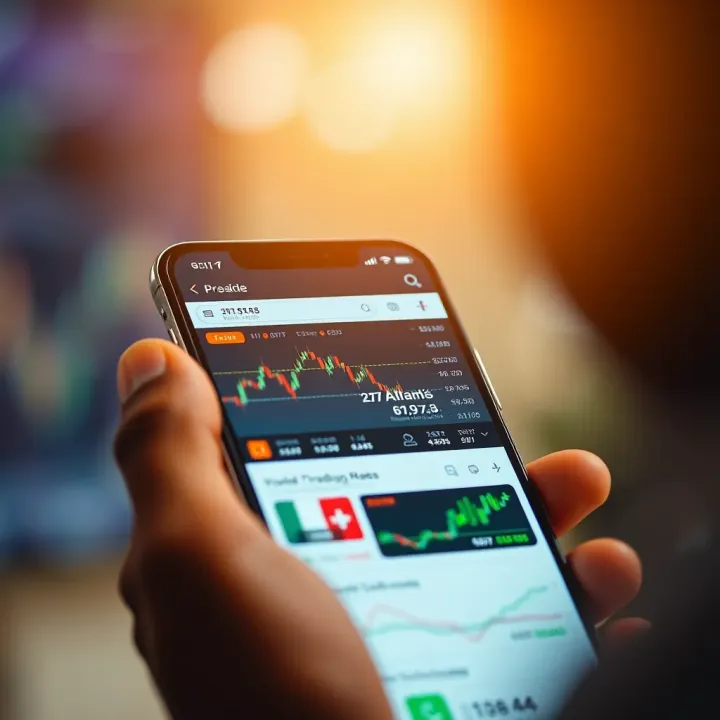
Explore the best trading apps in Nigeria 📱 for stocks, forex, and crypto. Get tips on choosing reliable platforms and earning money safely as a beginner.
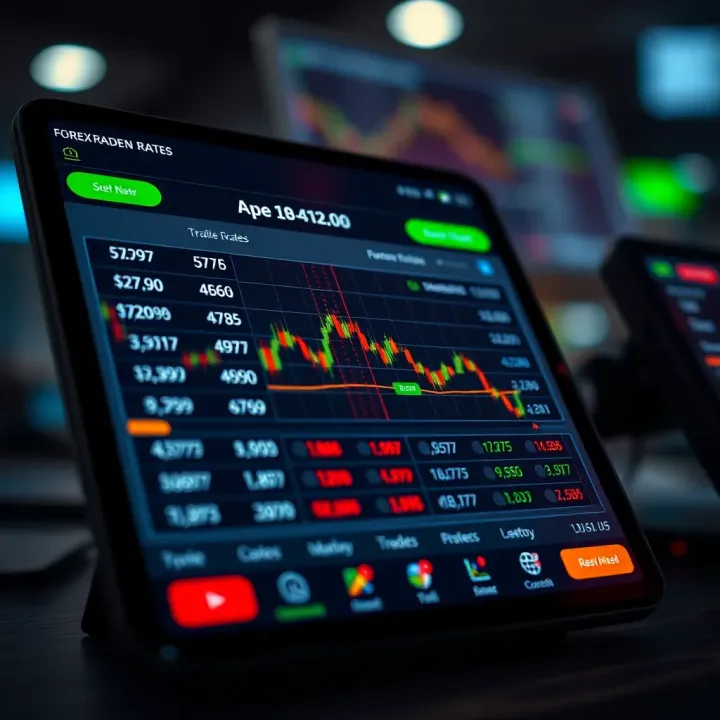
Discover how to pick the best forex trading apps for Nigerian traders 📱. Learn about security, usability, features, and top platforms for smarter trading.
Based on 8 reviews