
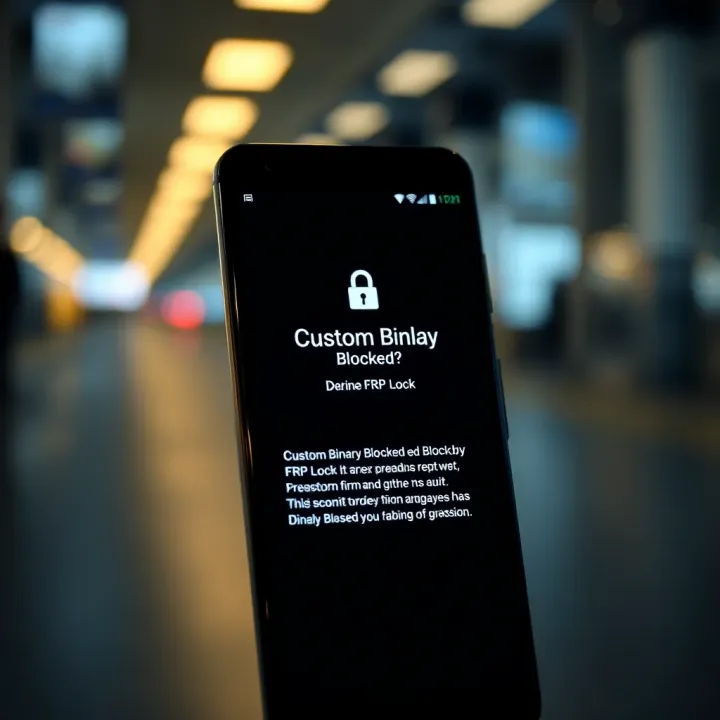
Fixing 'Custom Binary Blocked by FRP Lock' on Android
📱 Get quick tips on fixing the 'Custom Binary Blocked by FRP Lock' error on your Android phone. Learn why it happens, how to fix it, plus ways to avoid it in Nigeria.
Edited By
Isabella Green
Android smartphones come with Factory Reset Protection (FRP) designed to keep your device secure in case of theft or loss. When you encounter the "custom binary blocked by FRP lock" error, it means the device's security system has triggered because something unusual was detected during a firmware flash or modification attempt.
This error often appears after trying to install custom ROMs or kernels—software that alters the phone’s operating system. For many Nigerian users who like to customise their phones to run specific apps or unlock certain features, hitting this roadblock is frustrating. But understanding why it happens helps prevent damage and guides safer troubleshooting.
The FRP lock protects your phone by verifying the firmware signature; if the flashed binary isn’t recognised as official, it blocks booting to keep your data safe.
Flashing unofficial or corrupted firmware: When you try installing software that isn’t signed by the manufacturer.
Factory reset without removing Google account: FRP activates after a reset to prevent unauthorised access.
Attempting to downgrade or modify protected system files: Some devices reject older or modified binaries to maintain integrity.
For example, a trader who downloaded a custom ROM from an unverified source to speed up their old phone might suddenly find it stuck at this error after reboot.
In Nigeria, where the market thrives on both brand-new and tokunbo devices, FRP helps reduce risks linked to stolen phones being reset and resold. While it can be inconvenient when flashing legitimate custom firmware, FRP serves as a guardrail for device and data security.
Understanding this balance is key. You want the freedom to customise without losing access to your device or triggering security locks that require complex fixes. In the next part, we will look at how to troubleshoot and resolve this error through safe and practical steps tailored to Nigerian users.
This foundation is vital to avoid costly visits to repair centres or risking malware by using sketchy software to bypass FRP locks.
The "Custom binary blocked by FRP lock" error is a security warning on Android devices that pop up when the system detects modifications which conflict with Factory Reset Protection (FRP). This alert matters because it safeguards your phone from unauthorised access, especially after a reset. In the Nigerian context, where many people either buy second-hand smartphones (tokunbo) or tinker with firmware for performance tweaks, understanding this error is crucial to avoid bricking devices or losing access altogether.
This phrase literally means that the Android system has prevented the device from booting a custom or unofficial binary file—such as a modified kernel, recovery, or ROM. When you flash software not approved by the manufacturer or your device's expected security settings, the system stops it from running. This is vital because it helps prevent malicious software or accidental damage from unverified code.
For example, if someone in Lagos tries to flash a custom recovery on a Samsung phone without disabling FRP lock first, the device will throw this error, refusing to boot into the new software. This avoids potential theft or misuse.
FRP lock is a Google security feature introduced to protect devices after a factory reset. If someone wipes your phone without your Google account credentials, FRP locks the device, demanding that the original account sign-in must occur before full access is allowed. This reduces theft incentives.
In practical terms, if you buy a used Android phone for ₦40,000 from a market in Aba and reset it without the original Google credentials, FRP will prevent you from using the phone. It makes sure only rightful owners can restore functionality.
Android’s security framework combines Verified Boot and FRP to ensure system integrity. Verified Boot verifies the digital signature of the operating system. When you try to boot any system image that hasn’t been digitally signed by the manufacturer or Google's official tools, it refuses to proceed. The FRP lock enforces this by checking Google account details post-reset.
This layered approach means the phone isn’t simply vulnerable to any random flashing attempts, reducing risks of malware or data theft.
If you flash custom binaries like unofficial ROMs or kernels without unlocking FRP, the system flags the modification. This often happens because the device recognises the custom binary as unauthorised, so it blocks the process to maintain security.
For instance, an enthusiast in Abuja who tries to install LineageOS or any custom ROM on their Tecno phone without disabling the FRP might find the device stuck on the "custom binary blocked by FRP lock" screen. This prevents booting into the new system until the error is properly resolved.
Understanding this error helps avoid unnecessary device locks and guides you through safe practices when modifying your device firmware.
In summary, the custom binary blocked error is a security checkpoint built into Android devices, closely tied to FRP lock. It ensures that any tampering with the operating system triggers a safety barrier designed to protect the rightful owner from fraud or theft. For Nigerian users who often trade or repair devices, knowing when and why this issue arises helps avoid costly mistakes.
Factory Reset Protection (FRP) is a security feature designed to safeguard your Android device from unauthorised access, especially after a factory reset. It activates automatically when you register a Google account on your device. The main goal is to prevent thieves or unauthorised users from wiping the device and using it as their own. For example, if someone steals your phone and tries to reset it, FRP locks the device, requiring the original Google account credentials to proceed.
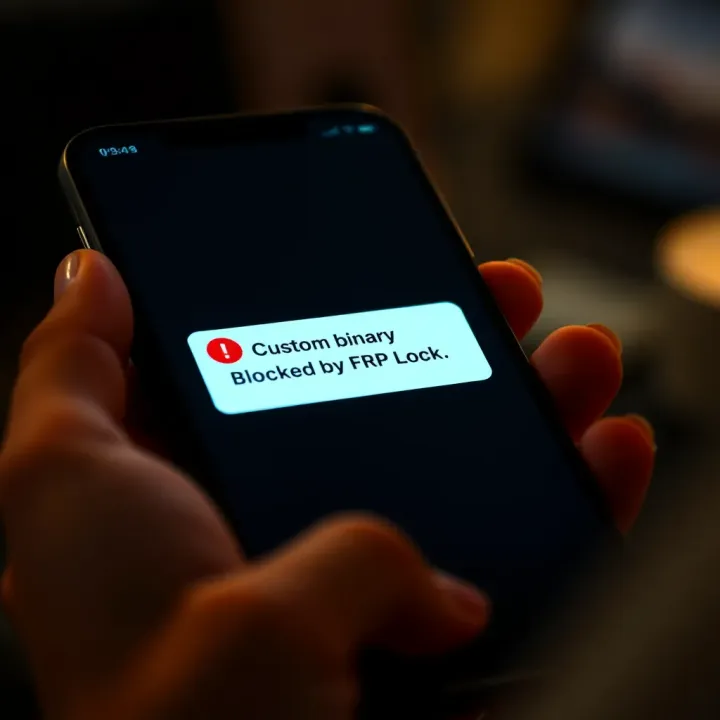
This protection is particularly relevant in Nigeria, where the resale of stolen phones is common. Without FRP, the thief would easily factory reset and sell the phone, but with FRP active, they hit a virtual wall. The lock kicks in once the device is reset outside the normal setup process, forcing the user to supply the Google account linked to the device. This makes stolen phones less valuable and encourages responsible device ownership.
FRP acts as a guard against theft by requiring the original user’s Google credentials after a factory reset. This means even if the device is wiped clean, it won’t be usable without proving ownership. For instance, if a device gets lost or stolen, the real owner can have some peace of mind knowing a thief can't simply remove their data and resell the device.
This feature plays a practical role in maintaining data security too. Suppose you gave your phone to a repair shop and it got reset during repair; the FRP lock would ensure only you can unlock it afterwards. This level of protection has become essential as smartphones hold sensitive personal and financial information.
Google account integration underpinning FRP links the device directly to its owner. The lock uses the account details to verify identity before granting access. This relationship means losing or forgetting your Google credentials can cause you trouble, but it also ties the device securely to the rightful user.
For traders or professionals using Android devices to manage investments or stock portfolios, this adds a layer of trust. Your device is not just a phone but a vault holding crucial apps and data. The FRP lock assures you that even if the phone falls into the wrong hands, your information won’t be easily exposed or tampered with.
While FRP is effective against thieves, it can become a headache for genuine users. For example, if you forget your Google password or buy a second-hand phone without the previous owner removing the FRP lock, you might get stuck. This can lock you out completely unless you remember or recover the original account details.
In some cases, even authorised repairs or updates may trigger the lock if the FRP is not properly handled beforehand. Users sometimes unknowingly face this issue when flashing custom firmware or performing system repairs, leading to frustration and costly trips to repair centres.
Modifying your device with custom ROMs or kernels often trips the FRP lock because the system detects that the official software was altered. Many Nigerian users who buy tokunbo phones and try to flash unofficial firmware do so without disabling FRP. This triggers the "custom binary blocked" error, preventing the device from booting normally.
Also, factory resetting without unlocking FRP first is a common mistake during repairs. Some repair shops, especially informal ones, may not check the Google account status before wiping phones, which leads to the device being stuck in FRP lock post-repair. Handling this requires technical knowledge and sometimes third-party tools, which might not be readily available or legal.
FRP lock is a double-edged sword: it protects your device and data but demands caution during repairs or customisation to avoid getting locked out.
Understanding how FRP works helps you navigate these challenges. Taking the necessary steps—like backing up credentials and following official procedures—will keep your device secure without unnecessary hassle.
Understanding the typical scenarios that trigger the 'custom binary blocked by FRP lock' error is vital for anyone dealing with Android device maintenance or customisation. This insight helps traders, investors, and tech professionals avoid unexpected device lockouts that can disrupt business activities or client services. Knowing these situations aids risk management and solidifies preparation before flashing or repairing devices.
Custom binaries refer to unofficial firmware components such as customised ROMs (Read-Only Memory) or kernels installed to modify or enhance an Android device's operating system beyond the stock setup. For example, a tech enthusiast might install a custom ROM like LineageOS to get features or performance not offered by the device's original software. These binaries alter low-level system functions and thus bypass standard manufacturer controls.
Flashing unofficial firmware carries risks that can activate the FRP lock mechanism, especially if the binary isn't signed or authenticated by the device maker. This security measure prevents unauthorised access after modifications. For instance, flashing a wrong kernel on a Samsung device often results in the error message, blocking any further access and locking the user out unless the original Google account credentials are verified.
Even when flashing official firmware, improper handling can cause the custom binary blocked error. Using outdated or incompatible software tools during repairs might trigger the device to consider the firmware untrustworthy. For example, a technician attempting to update a device with a non-official Odin version or incorrect firmware files might inadvertently cause this lock, requiring more complicated fixes.
Factory resetting the device without first disabling or unlocking FRP can also cause the error. Since FRP protects devices after a reset, bypassing this step ensures the device checks for proper account authentication upon restart. A typical case: a user performs a hard reset without logging out of their Google account beforehand, leading to the FRP lock activating and displaying the error upon reboot.
Avoiding these common mistakes during software changes and repairs significantly reduces the chance of hitting the custom binary blocked error, saving time and protecting your investment.
By paying close attention to these situations, professionals managing Android hardware in Nigeria can better plan interventions, ensure compliance with security protocols, and maintain uninterrupted device access for users.
Dealing with the “custom binary blocked by FRP lock” error can be frustrating, especially when you need your device for daily activities or business. Understanding how to resolve this issue is key to regaining access without compromising your device’s security. This section covers practical steps and methods to help users, particularly in Nigeria, to overcome the FRP lock while keeping safety in mind.
Google account verification plays a central role in FRP lock issues. When the system detects an attempt to flash custom firmware or reset the device, it requires you to verify ownership through your Google account. This safeguard ensures that only legitimate owners can unlock the phone after a reset or firmware modification.
If you forget your Google account details, recovering them promptly is essential. Start by using Google’s account recovery options on another device or browser. Input your linked email or phone number for the recovery code. Nigerians often face challenges if they used no-reply emails or disconnected numbers. In such cases, it's important to keep recovery information current before issues arise.
Using manufacturer tools is the safest approach. For Samsung users in Nigeria, Samsung’s Smart Switch or Odin software offers secure ways to restore your device to factory settings while disabling the FRP lock if you supply the correct credentials. Always download these tools from official sources to avoid malware risks.
Applying Over-The-Air (OTA) firmware updates appropriately also helps. Ensure your device remains connected to a stable Wi-Fi and that it’s fully charged before starting an OTA update. This method can fix security and software bugs causing FRP glitches without wiping critical data or triggering locks unexpectedly.
Several FRP bypass tools have gained popularity in Nigeria, such as FRP Bypass APK and GSM Flasher. These tools promise quick unlocks and support various Android models. However, users should exercise caution.
Many bypass tools lack official sanction and might violate manufacturer terms or Nigerian law. They sometimes expose devices to security vulnerabilities or contain harmful software. It's advisable to research thoroughly and consider the risks before relying on third-party solutions.
Expert help is advisable when DIY attempts fail or the device has complex lock issues. Professionals have specialised tools and experience that can safely navigate FRP locks without damaging your phone.
Costs vary depending on device model and service complexity but expect anywhere from ₦5,000 to ₦25,000 for most repairs. Always seek reputable service centres or technicians with verifiable credentials to avoid scams.
Resolving FRP lock issues requires careful balance: protect your device’s security while regaining access. Following official procedures and seeking expert help when necessary reduces risk and ensures your phone stays safe and functional.
By understanding these options and their implications, you can address the “custom binary blocked by FRP lock” error decisively and responsibly.
Preventing future FRP lock issues is vital for anyone who frequently handles firmware changes or repairs on Android devices. Ignoring proper precautions can lead to frustrating situations, such as being locked out of your own phone, loss of data, or expensive repairs. This section focuses on practical steps to avoid these headaches, ensuring your device stays secure while remaining accessible.
Backing up your data and Google account credentials before any firmware modification is non-negotiable. This includes important files, contacts, messages, and especially your Google account password tied to FRP. For instance, if you plan to flash a custom ROM or update the firmware, having a recent backup on cloud storage or a local PC means you avoid starting from zero if something goes wrong. In Nigeria, where constant power outages might affect proper updating, this backup step provides a safety net against data loss.
Equally crucial is securing access to your Google account. Many Nigerian users forget their login details and face complications when FRP triggers after a factory reset. Use password managers or jot down your credentials discreetly. Without this, even official repair shops can’t bypass FRP lock easily.
Unauthorized flashing refers to installing unofficial or unverified software onto your device. This can inadvertently trigger the custom binary blocked error because the device detects unknown firmware. Sticking to official firmware and updates from the manufacturer reduces such risks significantly. For example, Nigerian users tempted to install custom ROMs found on online forums might unknowingly void their warranty or cause permanent lock issues.
Moreover, unauthorised flashing often means missing important security patches, which exposes the device to hacks or malware. Always cross-check the source of firmware files and tools, ensuring they’ve been tested and trusted by the community or authorised repair centres.
Manufacturers design update methods to keep your device secure and functional. In Nigeria, where network stability varies, strictly following official OTA (Over-The-Air) update instructions avoids incomplete installations that might activate FRP lock. For example, Samsung’s Smart Switch and other branded PC suites guide users through updates correctly, ensuring the device’s bootloader and security checks remain intact.
Ignoring these steps, like interrupting updates or forcing installs, raises the risk of errors. Anyone regularly updating their smartphone should prioritise these official protocols rather than DIY shortcuts.
Proper registration of your device and associated Google account is foundational for smooth device recovery if FRP activates. For Nigerian users, linking your phone to your Google account soon after purchase, and confirming account verification details, ensures FRP lock recognises legitimate ownership.
Besides, registering with the manufacturer’s support service offers benefits like device tracking or warranty claims. If the device is lost or reset, valid registration is your strongest proof of ownership, reducing the chance of permanent lockout.
Preventing FRP lock issues isn’t just about avoiding hassle; it saves you money, time, and stress in the long run. Taking simple steps before modifying firmware makes all the difference in keeping your device secure yet accessible.
By observing these best practices, especially in the Nigerian context of unreliable electricity and internet, you protect your Android device well. This approach balances device security features with practical usability, so you won’t be caught off-guard by the dreaded custom binary blocked by FRP lock error again.
📱 Get quick tips on fixing the 'Custom Binary Blocked by FRP Lock' error on your Android phone. Learn why it happens, how to fix it, plus ways to avoid it in Nigeria.

Explore how binary subtraction works with clear examples, borrowing techniques, and its key role in computing and digital electronics 🖥️⚙️.

Explore binary division basics, step-by-step methods, and real-world uses in coding and hardware 🔢💻. Understand challenges and why it matters today.

🔍 Explore how the binary search algorithm operates, its step-by-step process, benefits in speed, and real-world programming uses for efficient data handling.
Based on 11 reviews